A free Pro key gives you one hour of the Pro plan so you can try the advanced filters and a LIVE page with just one small banner. This guide walks through each step with screenshots and a video, and explains the limits before you claim.
✓ Practical steps✓ Clear data definitions✓ You participate in TikTok
01
What a free Pro key is for
A free key unlocks the Pro plan for one hour so you can check it before you decide to buy. During that hour you can use the advanced filters, and the LIVE page shows just one small banner. After one hour, your account goes back to the Free plan.
This is a quick way to try Pro, not a replacement for a paid plan. If you need longer access, read the guide to buying a Plus or Pro key.
02
Step 1: find the claim button in the footer
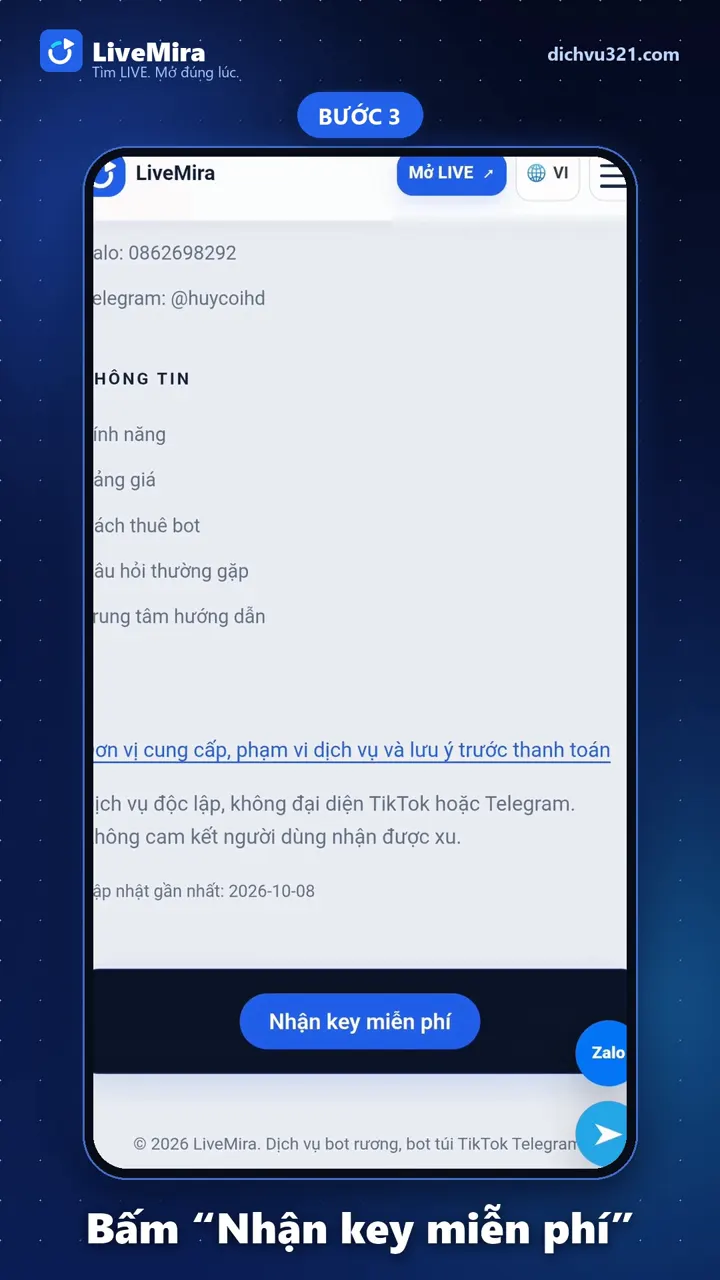
Open the LiveMira home page, scroll to the bottom and look for the “Claim free key” button. It sits in the footer, above the copyright line.
If you cannot see it, reload the page and scroll all the way down. The button is not on the LIVE page, so return to the home page to claim your key.
The Claim free key button sits in the footer, above the copyright line.
03
Step 2: wait for verification, then receive the key
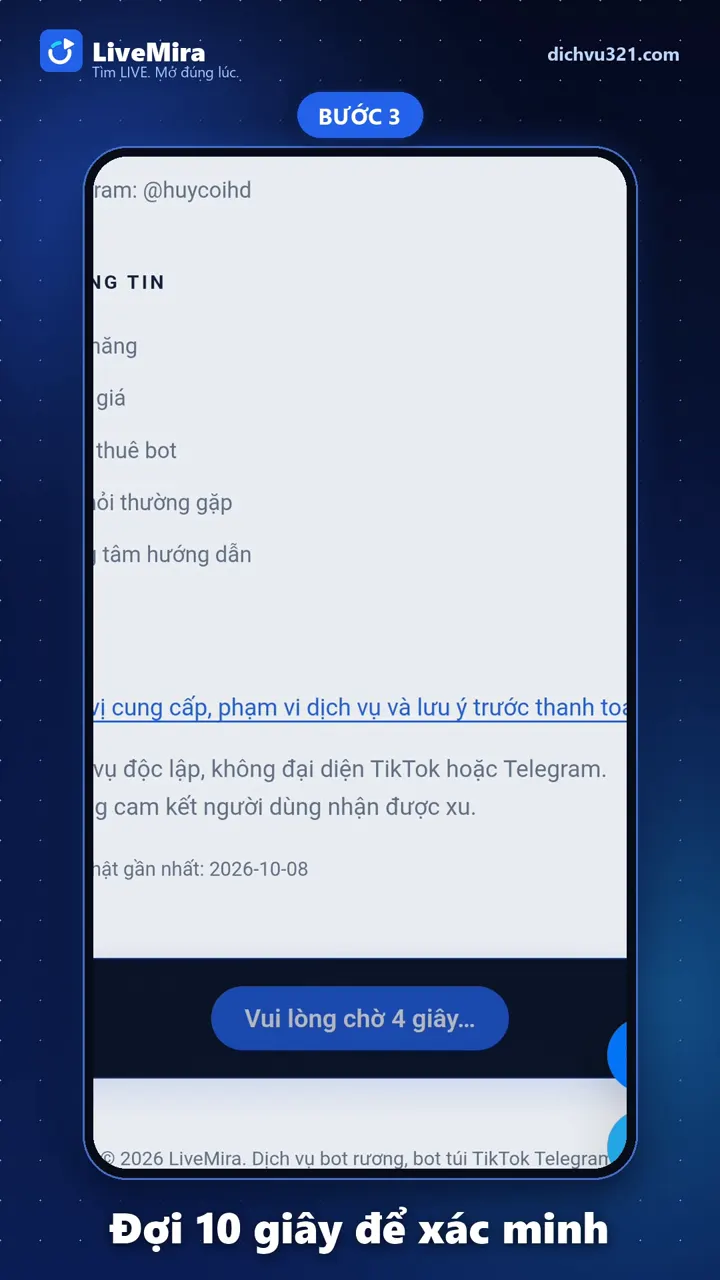
Tap the button and wait for the verification countdown. In the video guide this step takes about 10 seconds. Keep the page open until the countdown finishes to avoid errors.
When verification is complete, the key is issued to your device and browser. Watch the video below to see the full process.
The verification countdown appears right after you tap the claim button.
A video of about 57 seconds showing how to claim a free key and open LIVE. It has background music and no narration.04
Step 3: open LIVE and check the Pro plan
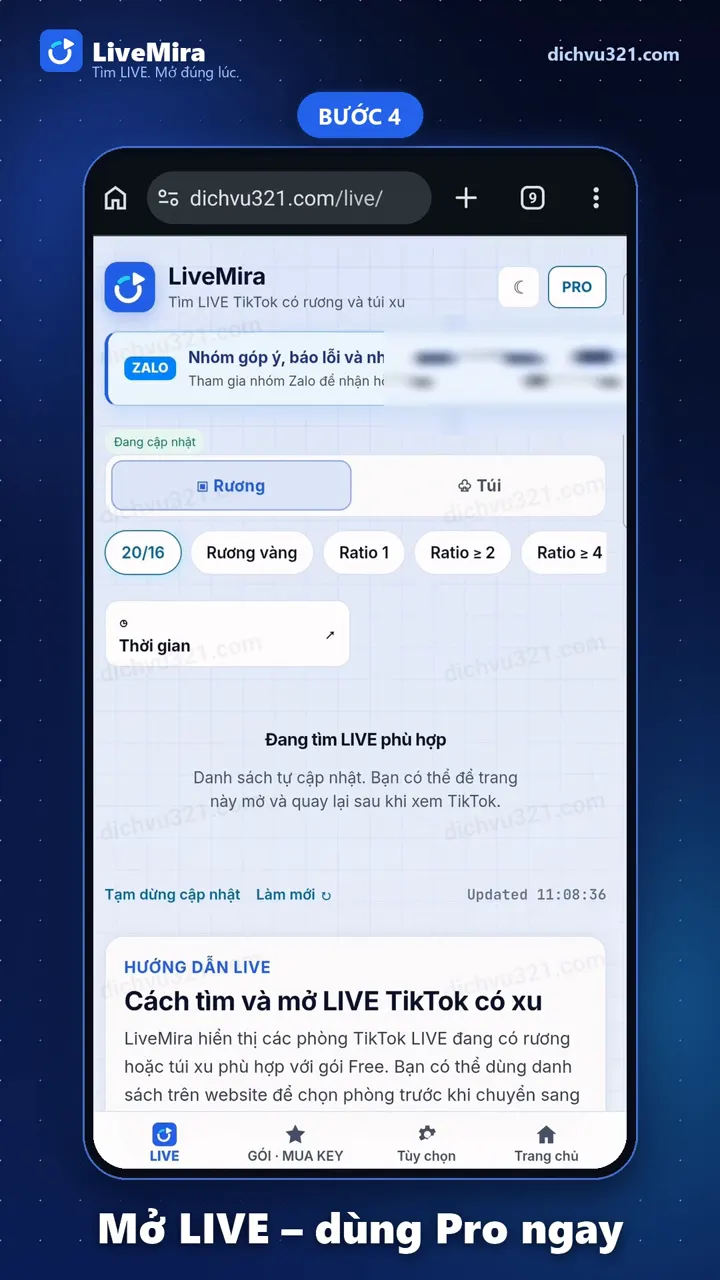
After you receive the key, tap the Open LIVE button to go to the LIVE page. If the key is active, a PRO badge appears at the top of the page and the advanced filters are ready to use.
If you do not see the PRO badge, reload the LIVE page. If it still does not appear, open the PLANS tab to check your status and re-enter the code if needed.
The LIVE page after activation shows the PRO badge and advanced filters.
05
Limits and things to know before you claim
Each device can claim one free key per day, and each IP address can claim one key per day. If you have already claimed today, come back tomorrow.
A free key is tied to the device or browser you claimed it on. Do not share your key with others, because each key works on one device only.
If you need access every day, buy a Plus or Pro key using the separate guide. You can also join the LiveMira community Zalo group to hear about new offers.
06
Why you may not receive a free key
The most common reason is that your device or IP address has already claimed a key today. This limit lets more people try Pro. If you have already claimed today, come back tomorrow and check the footer of the home page again.
Another reason is leaving the page during the verification countdown. The request then does not finish, and you need to press the button again. Keep the page open, do not switch tabs and do not refresh until verification is complete.
If you use shared networks such as mobile data with carrier-grade NAT or public Wi-Fi, many devices can share one IP address. In that case only one device on the network can receive a key each day. You can try again on another network or on another day.
LiveMira is an independent service and is not owned, sponsored, endorsed by or affiliated with TikTok or Telegram.
Do I need to log in to TikTok to claim a free key?
No. You only interact with the website and need to keep the page open until verification finishes. LiveMira never asks for your TikTok password.
What happens after one hour?
Your account returns to the Free plan. You can buy a paid key to keep going, or wait until the next day to claim a new free key.
Why can I not see the claim button?
Reload the home page and scroll to the bottom. If your device or IP has already claimed today, the button may not be available. Try again tomorrow.
Can several devices on the same network claim keys?
Each device can claim once a day, but each IP address can claim only one key per day. Devices on the same network may therefore not receive extra keys.
Can I claim a key now and use it later?
It is better not to. The one hour starts at activation, so claim the key when you are ready to open LIVE and use the filters.
Does the free key work in the Android app?
The website plans are separate from the Android app. A key claimed on the website unlocks access on the website only.
LIVEMIRA LIVE
Ready to explore TikTok LIVE?
Choose a room in the Free list, then check the event in TikTok before participating.